Numbers moving across a screen used to belong to trading floors. Now they sit quietly on a desk at home. A stock ticker LED display turns live market data into something you can see at a glance, without opening ten tabs or refreshing apps all day.
This blog breaks it down in plain terms. What it is, how it works, why people use it, and whether it actually helps with smarter investing.
An LED stock ticker display for home is a digital screen that shows real-time or delayed stock prices, symbols, and market updates in a scrolling format.
It connects to stock data sources through Wi-Fi or software integrations and continuously updates. No manual refresh needed.
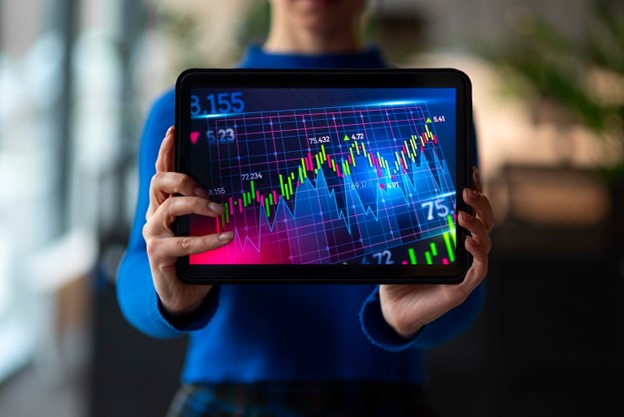
Retail investing has changed. According to reports from platforms like Statista and FINRA, individual investor participation has grown sharply over the past few years. With that shift, tools once used by professionals are moving into homes. LED tickers fall right into that trend. Glance beats constant checking.
The setup is easier than most expect. A small device connects to your network and pulls stock data from APIs or financial feeds.
Some advanced models even sync with apps or dashboards.
There is a practical side to this. It is not just a fancy screen.
A small behavioral shift happens here. Passive watching turns into active awareness.
Most people place the display near their workspace. Desk. Wall. Shelf. Anywhere visible.
Too much data ruins the purpose. Clarity wins.
Depends on how involved you are in the market. Casual investors might find it unnecessary. Active traders or anyone tracking multiple stocks daily usually see value quickly. Cost ranges vary, but entry-level displays are becoming more affordable.
One honest takeaway. It will not make better decisions for you. It just keeps the information in front of you, all the time.
A few things tend to go wrong early on.
Keep it simple. Fewer symbols. Clear purpose.
An LED stock ticker display brings market data into your physical space. That alone changes how often and how quickly you react to price movements.
It is not essential. It is useful, especially for people who take investing seriously and want less friction between them and real-time data.
For those building modern, clean digital setups around tools like this, platforms like Solidpixels make it easier to present and manage that experience online.
A stock ticker LED display shows live or delayed stock prices in a scrolling format, helping investors track markets without opening apps repeatedly.
It is useful for active investors who monitor markets frequently. Casual investors may not need it.
Most devices connect to online APIs or financial data providers using Wi-Fi to pull real-time or delayed stock information.
Yes, most displays allow custom watchlists, alerts, and display settings based on your preferred stocks or assets.
Working from home has become a permanent shift for many, and with it comes the need to create a space that supports productivity, focus, and comfort. But making your home office functional isn’t just about a nice desk and a comfy chair—it’s about optimizing your environment with tools, routines, and design choices that keep you in the zone.
One such tool is the Solidpixels Tetra—a smart, pixel-style LED display that delivers real-time updates like time, weather, productivity timers, stock tickers, and custom messages. It’s a simple but powerful way to bring both utility and personality to your workspace.
Here are five effective ways to make your home office more functional—and how the Tetra can support each one.
One of the easiest ways to get distracted during work is toggling between tabs and apps to check the time, weather, or your calendar. Each little check turns into a rabbit hole of notifications and unrelated tasks.
Solidpixels Tetra helps you eliminate that cycle. By showing essential info at a glance—like the current time, weather forecast, or countdown to your next break—you stay informed without getting derailed.
Use the Tetra to:
It’s a passive tool that keeps your day flowing smoothly.
A functional workspace is one that constantly reinforces your goals. Whether you’re working toward a deadline, a big project milestone, or even just getting through a productive Monday, reminders matter.
With Tetra’s Free Text and To-Do apps, you can:
Because the display is always on, your goals are never out of sight. You don’t have to dig through planners or apps—they’re right there, in your space, reminding you why you’re working.
Your brain works better with rhythm. That’s why structured work periods like the Pomodoro Technique are so effective—they give you defined time to focus and rest.
Using the Pomodoro app on Solidpixels Tetra, you can:
If you prefer a more custom setup, you can use Tetra’s Custom Countdown app to build your own intervals or break up your day into specific sessions.
Over time, your brain will start syncing to the rhythm, helping you stay more consistent and less fatigued.
Your workspace should feel like you. But personalization often turns into clutter—sticky notes, random photos, and desk trinkets that slowly take over your environment.
Tetra gives you a clean, digital way to add personality without sacrificing space or order. You can:
It adds emotion, identity, and fun to your setup—without adding physical mess.
Being in your own space is great, but isolation can sneak up on you. Staying connected to the outside world can make your workspace feel alive and dynamic.
With Tetra’s suite of apps, you can:
It’s like having a window to the world—without the constant buzz of alerts and ads. The updates come quietly, giving you awareness without distraction.
A great home office isn’t about expensive furniture or trendy decor—it’s about designing a space that supports your workflow, your energy, and your goals. With Solidpixels Tetra, you can build a smarter, more functional workspace that keeps you focused, motivated, and connected.
Whether you’re grinding through work hours, building your side hustle, or managing your day-to-day, adding a simple visual layer of clarity and inspiration can make all the difference.
Make your workspace work for you—and let every pixel push you forward.

