
There’s something magical about decorating your home for Christmas. The twinkling lights, colorful ornaments, cozy atmosphere, and familiar holiday characters make every room feel a little more special.
But what if your Christmas decorations could actually come to life?
With Solidpixels Tetra, you can add a playful, animated touch to your holiday setup. This compact LED pixel display brings festive characters and Christmas scenes to life through colorful animations, making it a fun addition to traditional decorations.
From cheerful snowmen and Santa Claus to reindeer and snowy winter landscapes, Tetra lets you bring a little extra Christmas magic into your favorite spaces.
Here are six creative ways to incorporate animated pixel art into your holiday decorations.
The living room is usually the heart of Christmas celebrations. It’s where the tree stands, presents pile up, and everyone gathers to enjoy the holidays.
Placing a Solidpixels Tetra on your coffee table, TV console, or nearby shelf can make the entire setup feel more festive.
Imagine a cheerful snowman waving hello, Santa flying across a snowy sky, or adorable reindeer lighting up your living room.
The colorful animations complement your Christmas tree lights and ornaments, creating a playful atmosphere that both kids and adults can enjoy.
Decorating tip: Position your Tetra near your Christmas tree or other illuminated decorations. The combination of traditional lighting and animated pixel art creates a cozy holiday scene.
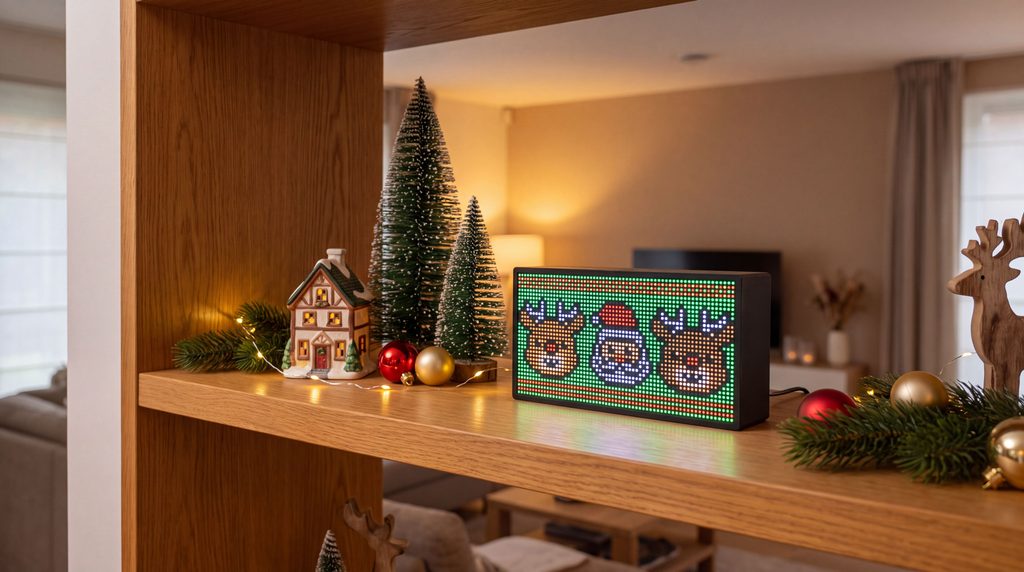
Decorative shelves are perfect for creating small Christmas scenes.
You might already have miniature Christmas trees, ceramic houses, candles, or holiday figurines arranged on a bookshelf or mantel.
Adding an animated LED display introduces movement and color to an otherwise static arrangement.
For example, you could surround your Tetra with artificial snow, miniature pine trees, and small Christmas ornaments while displaying an animation of Santa’s sleigh or a snowy winter landscape.
The result is a miniature Christmas scene that feels alive.
Decorating tip: Try combining decorations of different heights. Place your Tetra toward the center or slightly behind smaller ornaments so the animation remains visible without dominating the entire arrangement.
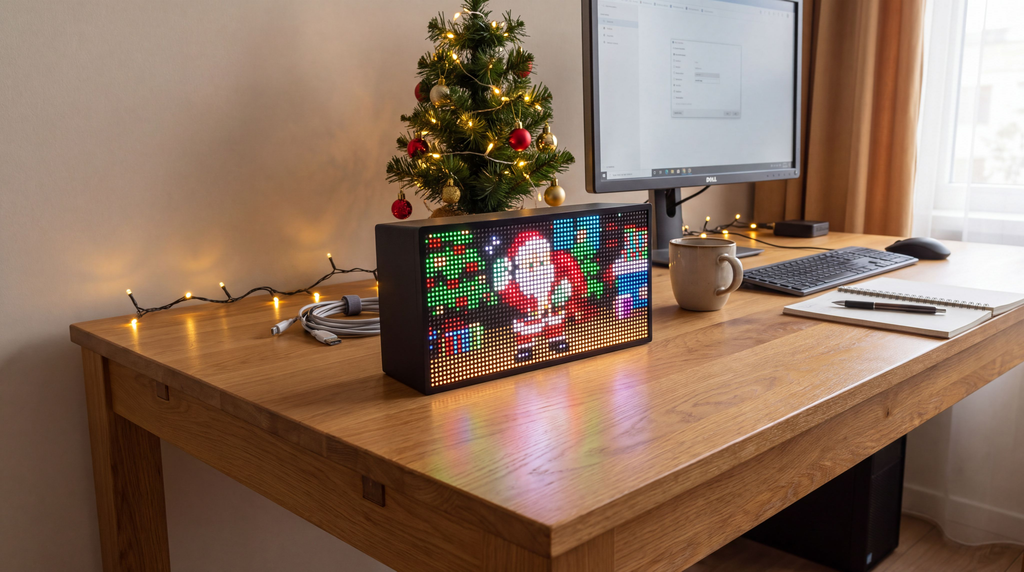
Just because you’re working doesn’t mean you can’t enjoy the holiday spirit.
If you spend hours at your desk, adding a little Christmas decoration can make your workspace feel much more inviting.
Solidpixels Tetra fits naturally alongside a monitor, keyboard, or desk accessories. During the holiday season, you can display festive pixel animations instead of your usual content.
A dancing snowman, cheerful reindeer, or animated Christmas tree can add a little personality to your workspace without taking up much room.
And when the holidays are over, your Tetra can return to displaying useful information such as the time, weather, sports scores, or other apps.
Decorating tip: Pair your Tetra with a small tabletop Christmas tree, warm white LED lights, or a festive desk mat for a holiday-themed workspace.
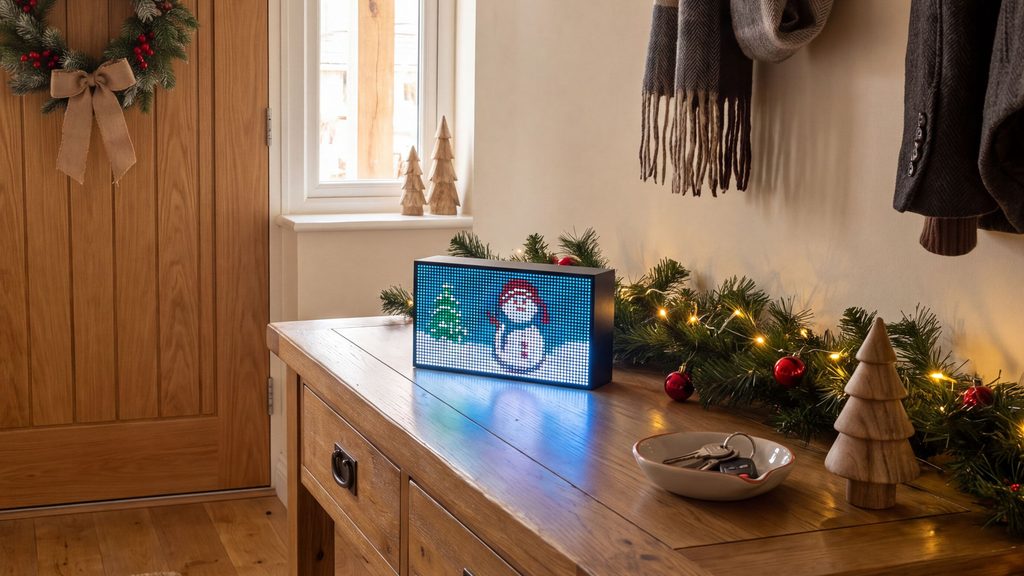
Your Christmas decorations don’t have to stop at the living room.
An entryway table, hallway shelf, or reception counter can become a cheerful holiday display with the right accessories.
Imagine guests walking into your home and being greeted by an animated Santa Claus, a friendly snowman, or a group of smiling reindeer.
It’s a small detail, but one that adds personality to your decorations and makes your space feel more welcoming.
This idea also works beautifully in cafés, boutiques, offices, and other businesses that want to create a festive atmosphere for customers.
Decorating tip: Combine your Tetra with a small Christmas wreath, pine garland, or decorative gift boxes to create a welcoming display.

For gamers and tech enthusiasts, Christmas decorations don’t have to mean replacing your favorite setup with traditional ornaments.
Instead, you can incorporate holiday elements that match your existing aesthetic.
Animated pixel art is particularly well suited to gaming rooms because its colorful, retro-inspired style naturally complements RGB lighting and gaming accessories.
Place your Solidpixels Tetra beside your monitor, speakers, or gaming console and choose a Christmas animation that matches your setup.
Whether it’s Santa Claus, a playful reindeer, or a snowy landscape, the display adds a seasonal touch without changing the character of your room.
Decorating tip: Match the colors of your RGB lighting to your Christmas decorations. Red, green, and warm white are classic choices, while icy blue works beautifully with snowy winter animations.
Why settle for just one Christmas decoration when you can enjoy several?
One of the fun things about Solidpixels Tetra is the ability to explore different animations and switch between your favorites.
You could start the day with a cheerful snowman, display Santa and his reindeer in the afternoon, and enjoy a peaceful snowy landscape in the evening.
Tetra also supports automatic app rotation, allowing you to cycle through selected content without manually changing it every time.
And if you have more than one Tetra, you can create a coordinated Christmas display featuring different animations, just like the festive living-room setup pictured above.
Decorating tip: Choose animations that complement each other visually. Combining snowy scenes, classic Christmas characters, and festive colors can make multiple displays feel like part of the same holiday theme.
Getting your Tetra ready for Christmas is simple.
You can also switch between Christmas animations and your everyday apps whenever you like.
One of the best things about decorating with Solidpixels Tetra is that it doesn’t have to spend the rest of the year packed away in a box.
Unlike traditional Christmas decorations, Tetra is a versatile smart display you can enjoy throughout the year.
Once Christmas is over, you can replace your holiday animations with something entirely different.
Display animations for Halloween, celebrate special occasions, showcase your favorite pixel art, or use practical apps for weather updates, sports scores, clocks, and more.
The same display that brings Santa and his reindeer into your living room in December can become part of your everyday home decor in January.
Christmas decorating is all about creating a warm, welcoming atmosphere and filling your home with things that make you smile.
Whether you prefer a traditional Christmas tree, minimalist holiday decorations, or a colorful gaming setup, animated pixel art offers a creative way to make your space feel more festive.
With cheerful characters, colorful winter scenes, and playful animations, Solidpixels Tetra adds movement and personality to your Christmas decorations.
And the best part? You can enjoy it long after the holiday season ends.
Ready to bring your Christmas decorations to life?
Explore Solidpixels Tetra and discover a new way to decorate your space.
Finding the perfect Christmas gifts for employees isn’t always easy. You want something thoughtful, useful, and memorable—but you also need to consider different personalities, preferences, and budgets.
While traditional corporate gifts like mugs, notebooks, and branded merchandise are still popular, companies are increasingly looking for creative alternatives that employees will genuinely appreciate.
And employee gifting matters more than you might think.
In Snappy’s 2026 Holiday Gifting Report, 84% of surveyed employees said they wanted a holiday gift from their employer, and 78% said a thoughtful year-end gift would make them feel more motivated. The findings came from a September 2026 survey of 1,500 full-time U.S. employees. These self-reported results describe that survey sample and should not be treated as proof of outcomes for every workforce.
Whether you’re shopping for a small team, recognizing outstanding performers, or organizing gifts for hundreds of employees, we’ve put together 15 unique employee Christmas gift ideas for 2026.
From innovative technology to personalized experiences, these gifts go beyond the usual corporate giveaway.
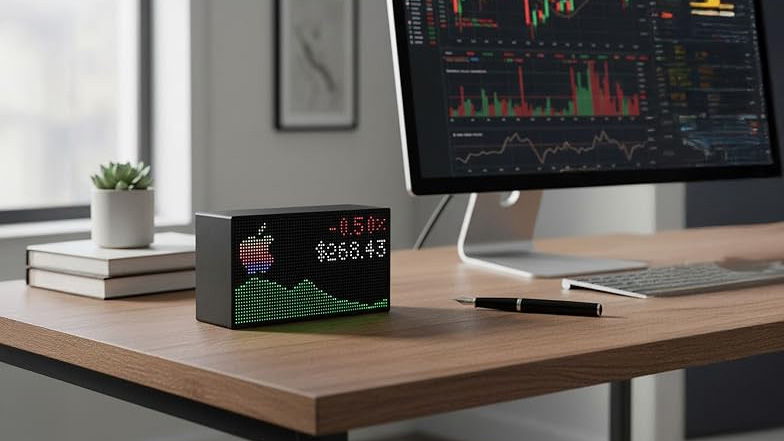
Best for: Tech enthusiasts, office employees, remote workers, and employee recognition awards.
Suggested budget: $100–$200 per employee.
For something different from traditional corporate gifts, consider a customizable smart LED display.
Devices like the Solidpixels Tetra bring information, creativity, and personality to any workspace.
Employees can personalize their displays with useful information and entertaining content, including:
Unlike a traditional desk ornament, a smart display can continuously show new information based on the recipient’s interests.
For example, a sports enthusiast might enjoy seeing their favorite team’s scores, while someone interested in investing could display stock market updates.
The Solidpixels Tetra features a compact design suitable for desks, shelves, and home offices. At the time of review, Solidpixels states that no subscription is required. The device requires a constant power connection and a compatible Wi-Fi connection to access live content. Features, pricing, and availability may change, so confirm the current details on the product page before ordering.
Why it’s a great employee Christmas gift: It combines technology, personalization, and everyday usefulness in something employees can enjoy long after the holidays.
For companies recognizing their top performers, a personalized congratulatory message or animation can also make the gift feel more meaningful.
Explore Solidpixels Employee Gifts →
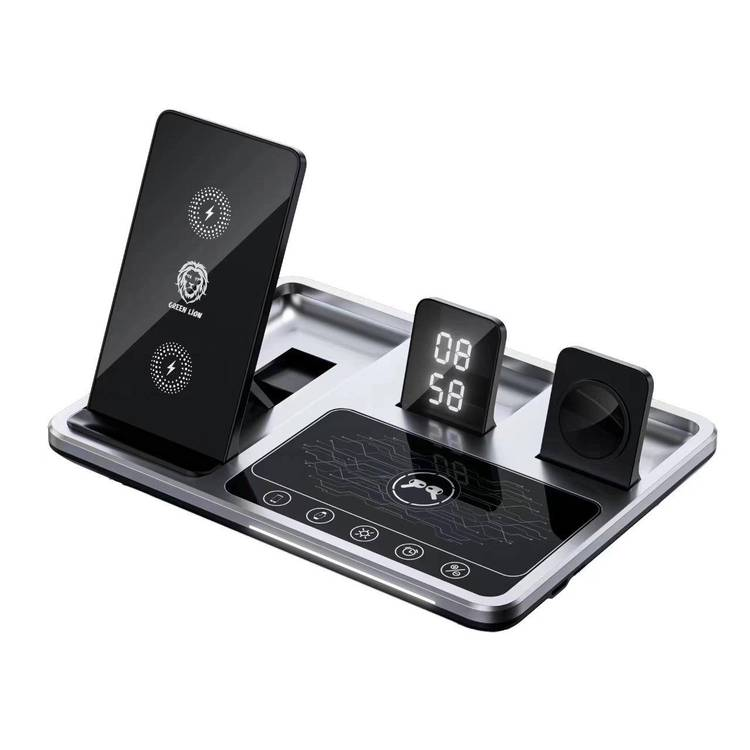
Best for: Office workers, remote employees, and technology enthusiasts.
Suggested budget: $25–$80 per employee.
Most employees have several electronic devices they use throughout the day, including smartphones, wireless earbuds, and smartwatches.
A premium wireless charging station helps keep those devices powered without cluttering their workspace with cables.
Look for charging stations featuring minimalist designs, multiple charging areas, and compatibility with popular devices.
Some models also fold for travel, making them useful outside the office.
Why it’s a great gift: It’s practical, modern, and something employees can incorporate into their daily routine.
Before purchasing in bulk, check compatibility with the devices your employees actually own.

Best for: Remote workers, commuters, and employees working in shared offices.
Suggested budget: $75–$250 per employee.
A good pair of noise-canceling headphones can make a noticeable difference to someone’s working environment.
They’re particularly useful for employees who regularly attend video meetings, work in shared spaces, or commute on public transportation.
Beyond work, employees can enjoy them while listening to music, watching movies, or traveling.
Look for comfortable headphones with good battery life, reliable microphone quality, and effective noise cancellation.
Why it’s a great gift: It’s a premium technology gift that employees can use both professionally and personally.
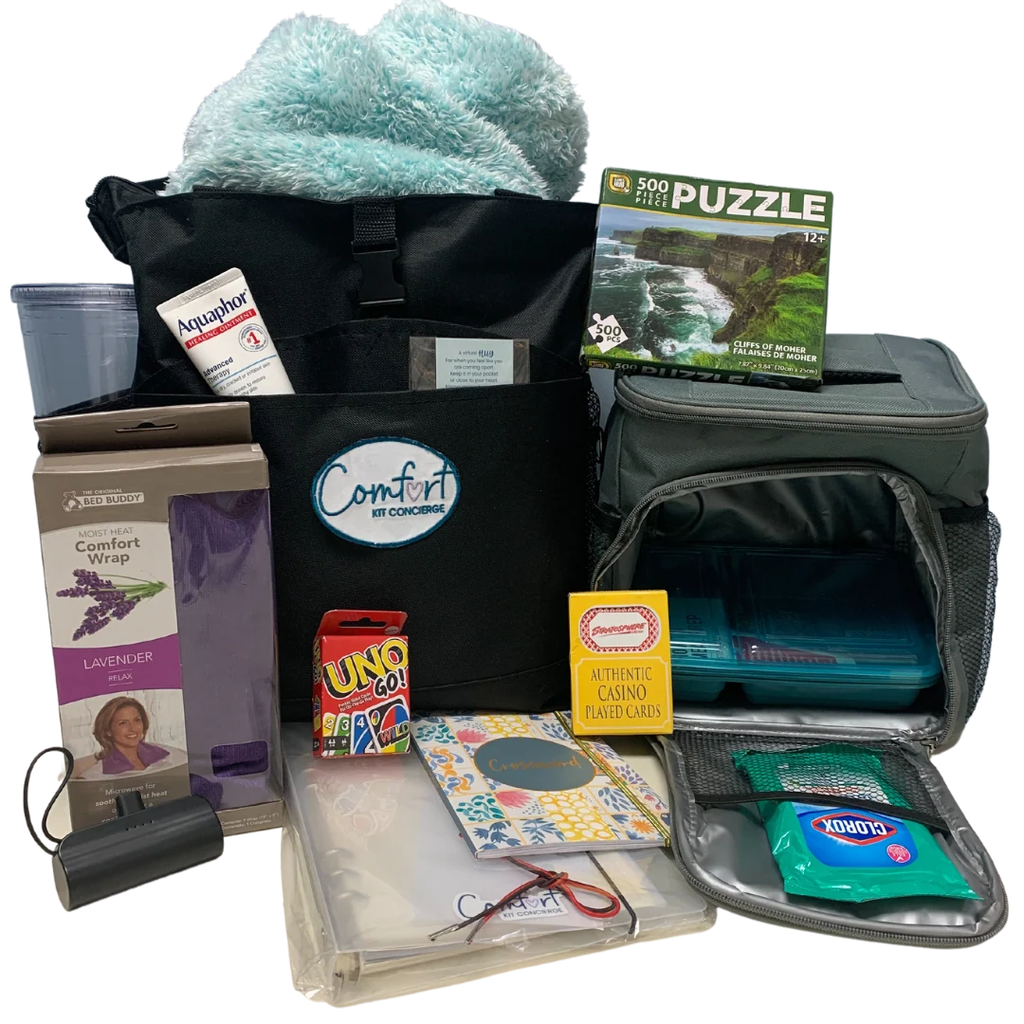
Best for: Employees who enjoy organized and aesthetically pleasing workspaces.
Suggested budget: $25–$65 per employee.
A beautifully designed desk organizer can transform an ordinary workspace into something more personal.
Instead of choosing a generic plastic organizer, consider premium materials such as walnut, bamboo, aluminum, or leather.
Some organizers feature modular compartments, wireless charging areas, or customizable sections.
Adding the employee’s initials or name can make the gift feel more thoughtful without turning it into another piece of company merchandise.
Why it’s a great gift: It combines personalization with everyday functionality.

Best for: Coffee enthusiasts, tea lovers, and employees who enjoy trying new flavors.
Suggested budget: $25–$70 per employee.
For employees who appreciate a good cup of coffee or tea, a carefully curated tasting collection can be an excellent Christmas gift.
Consider packages featuring specialty coffee beans from independent roasters, premium loose-leaf teas, or selections from different regions.
You could also include accessories such as a reusable infuser, ceramic mug, or small brewing tool.
Why it’s a great gift: It creates an enjoyable experience rather than simply providing another office accessory.
For larger teams, consider offering both coffee and tea options to accommodate different preferences.

Best for: Remote employees, students, designers, and anyone working at a desk.
Suggested budget: $35–$120 per employee.
Lighting plays an important role in creating a comfortable workspace.
A modern desk lamp with adjustable brightness and color temperature gives employees more control over their environment.
Some models include touch controls, flexible arms, or integrated charging ports.
Choose designs that look attractive without taking up too much desk space.
Why it’s a great gift: It’s a practical workspace improvement that employees may appreciate every day.

Best for: Office employees, commuters, and people who travel regularly.
Suggested budget: $25–$55 per employee.
Insulated drinkware remains popular because it’s useful in so many situations.
A high-quality tumbler can keep coffee warm during a morning commute or water cold throughout the workday.
For a more premium gift, look for durable stainless steel construction, leak-resistant lids, attractive colors, and easy cleaning.
If you decide to customize the tumblers, consider adding employees’ initials rather than a large company logo.
Why it’s a great gift: It provides everyday utility and works for employees with different lifestyles.

Best for: Remote teams, distributed employees, and company-wide Christmas gifting.
Suggested budget: $30–$90 per employee.
A thoughtfully assembled gourmet snack box can be a welcome alternative to traditional corporate merchandise.
Consider collections featuring artisan chocolates, premium cookies, roasted nuts, specialty crackers, or snacks from independent businesses.
For an extra-personal touch, you could create different collections based on employee preferences.
These gifts are also easy to enjoy with family and friends during the holiday season.
Why it’s a great gift: It creates an immediate, enjoyable experience and can work especially well for distributed teams.
Remember to offer alternatives for dietary restrictions and allergies.

Best for: Employees who enjoy plants, home décor, and personalized workspaces.
Suggested budget: $20–$55 per employee.
A small indoor plant can make a desk or home office feel more welcoming.
Low-maintenance varieties such as snake plants, pothos, and certain succulents are practical options for employees who don’t have much gardening experience.
Pair the plant with a beautiful ceramic planter and a short care guide.
You could also include a small appreciation message.
Why it’s a great gift: It’s a thoughtful decorative gift that adds something natural to a workspace.
For remote employees, consider purchasing from local plant shops to avoid shipping problems.
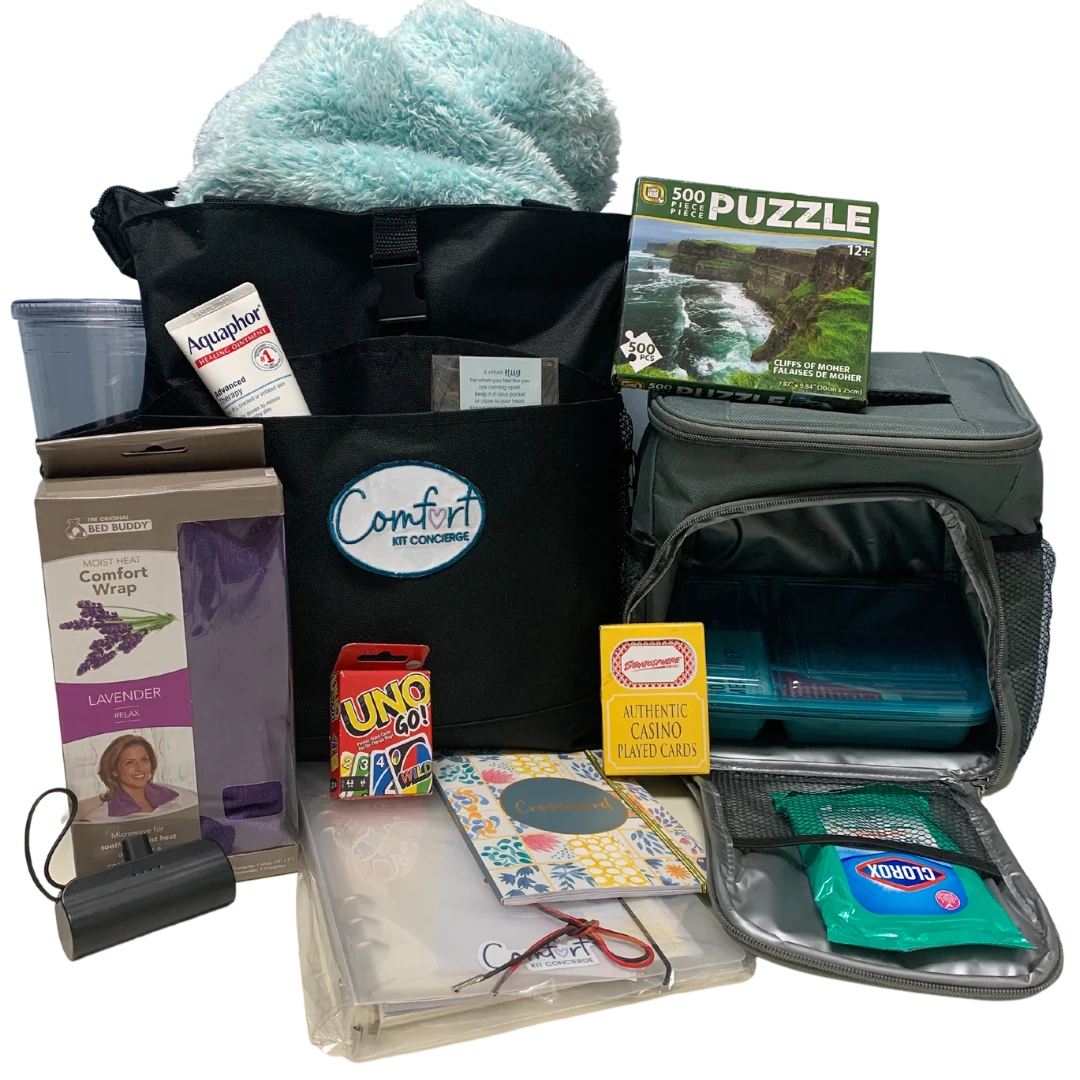
Best for: Remote workers, hybrid employees, and teams that value relaxation.
Suggested budget: $35–$95 per employee.
Not every employee wants another gadget for their desk.
A premium comfort kit offers something they can enjoy after the workday ends.
Consider a thoughtfully assembled package containing a soft throw blanket, comfortable socks, specialty tea, and other relaxing essentials.
Choose high-quality items with neutral designs rather than filling the box with inexpensive promotional products.
Why it’s a great gift: It communicates appreciation for employees as people, not just for their contributions at work.
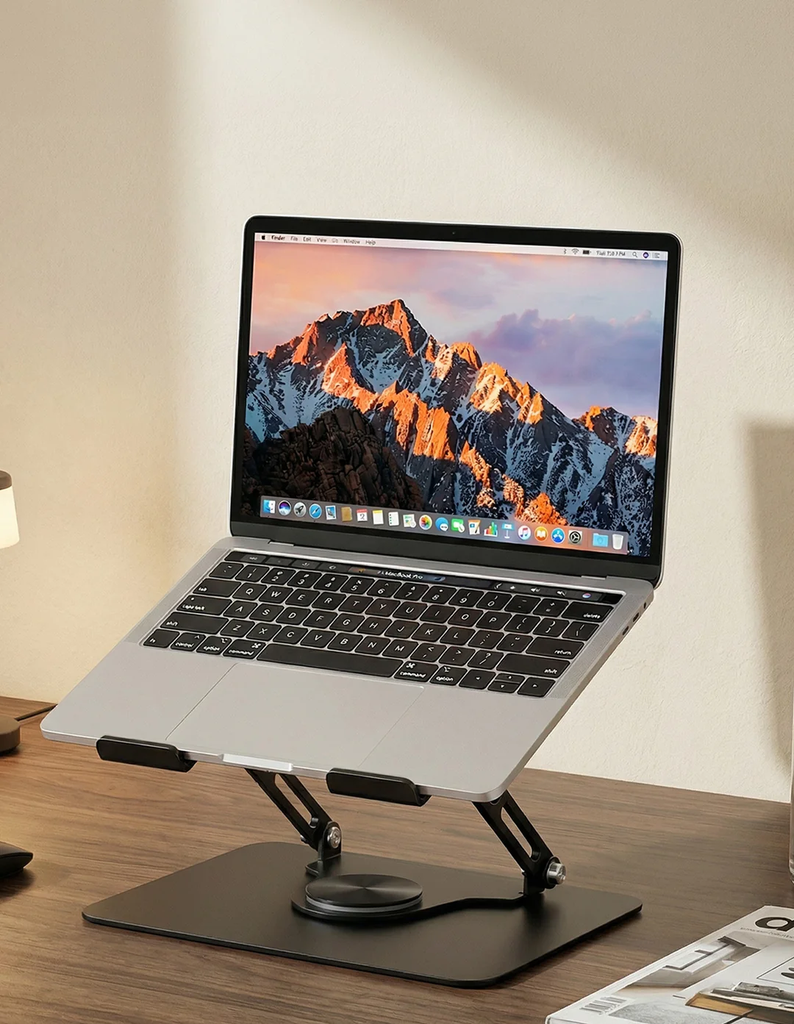
Best for: Remote employees, hybrid workers, and frequent travelers.
Suggested budget: $30–$90 per employee.
A portable laptop stand can make working from different locations more convenient.
Foldable models are particularly useful because employees can easily carry them between the office, home, and other workspaces.
Look for sturdy construction, adjustable height settings, and compatibility with different laptop sizes.
You could pair the stand with a compact travel pouch for an additional touch.
Why it’s a great gift: It’s a practical accessory for employees who regularly work from more than one location.
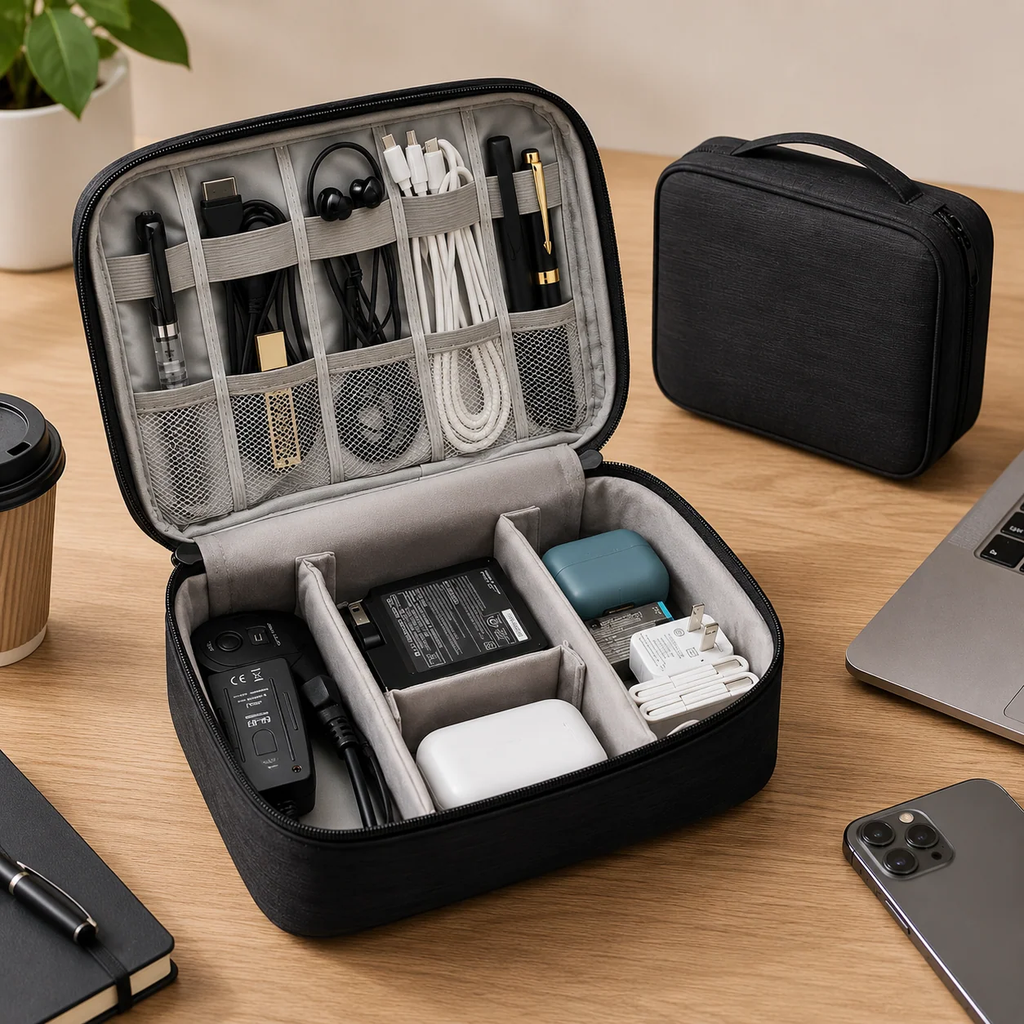
Best for: Business travelers, commuters, and employees who carry multiple devices.
Suggested budget: $20–$75 per employee.
Between charging cables, power adapters, earbuds, and portable batteries, keeping electronic accessories organized can be surprisingly difficult.
A well-designed tech organizer offers dedicated compartments for these everyday essentials.
Look for water-resistant materials, durable zippers, and a layout that accommodates different accessories.
Premium leather or recycled-fabric designs can make the gift feel more sophisticated.
Why it’s a great gift: It’s useful for work trips, vacations, and everyday commuting.

Best for: Creative teams, employee milestones, and smaller companies.
Suggested budget: $40–$150 per employee.
For a more personal Christmas gift, consider commissioning custom illustrations.
These could feature an employee’s pet, favorite city, hobby, or another meaningful subject.
You could also commission artwork celebrating a significant team achievement or company milestone.
The finished illustration can be delivered as a framed print or digital artwork.
Why it’s a great gift: It creates something unique that employees are unlikely to already own.
This option works particularly well when the company knows its employees’ interests and preferences.

Best for: Employees who value experiences over physical products.
Suggested budget: $50–$200 per employee.
Sometimes the most memorable gift isn’t something you can put on a desk.
Experience-based gifts allow employees to enjoy something different, such as a cooking class, pottery workshop, concert, restaurant experience, or outdoor activity.
These gifts can be particularly appealing to employees who already have plenty of gadgets and accessories.
For distributed teams, consider vouchers that can be redeemed locally.
Why it’s a great gift: It creates an opportunity for enjoyment and memorable experiences outside work.
The most important consideration is flexibility. Employees should have enough options to choose an activity that genuinely interests them.

Best for: Large companies, diverse teams, and international workforces.
Suggested budget: $25–$150 per employee.
Choosing one gift that hundreds of employees will love is difficult.
That’s why a choose-your-own-gift program can be an attractive alternative.
Instead of selecting the same item for everyone, companies provide employees with a curated collection of gifts within a predetermined budget.
Employees then select the option they prefer.
For example, one employee might choose a tech accessory, another a gourmet collection, and another a home décor item.
Why it’s a great gift: It gives employees more control over what they receive while allowing companies to maintain a consistent gifting budget.
With so many options available, deciding what to purchase can feel overwhelming.
The best approach is to consider your team’s interests, your budget, and the experience you want to create.
A gift doesn’t have to be expensive to be meaningful.
A high-quality item that becomes part of someone’s routine can be more appreciated than a premium product that rarely gets used.
Think about your employees’ working environments, lifestyles, and interests.
For employees who spend significant time at their desks, accessories such as smart displays, desk lamps, and wireless chargers may be particularly appealing.
For employees who travel frequently or work away from desks, portable accessories and experience-based gifts may be better choices.
Personalization doesn’t always mean engraving someone’s name on a product.
It can also mean giving recipients the freedom to make something their own.
For example, a customizable smart display allows employees to choose what information or content they want to see.
A gift-selection program gives employees even more flexibility.
The goal is to make employees feel that the gift was chosen with their preferences in mind.
Employee Christmas gift budgets vary depending on company size, industry, and the occasion.
A company purchasing gifts for 500 employees may have different priorities from one selecting special awards for its 10 best performers.
Here are some illustrative budget ranges to help with planning:
| Budget per employee | Suitable gift ideas |
|---|---|
| Under $30 | Desk plants, tumblers, small coffee sets |
| $30–$50 | Tech organizers, gourmet gift boxes, desk accessories |
| $50–$100 | Wireless chargers, premium desk lamps, experience vouchers |
| $100–$150 | Smart LED displays, premium headphones, personalized gifts |
| $150+ | Higher-end electronics, curated premium experiences |
These are planning ranges rather than guaranteed retail prices. Prices and availability vary by seller, location, and season. Remember to account for shipping, taxes, packaging, and potential customization costs.
When purchasing Christmas gifts for an entire company, buying in bulk may help reduce the cost per item.
Some suppliers offer volume discounts, custom packaging, or special corporate ordering arrangements.
Solidpixels accepts corporate gifting inquiries from companies interested in purchasing multiple Tetra displays. Available volume pricing, device sizes, customization, stock, packaging, and delivery arrangements may vary by order and should be confirmed directly before making a purchasing decision.
Explore Corporate Employee Gifting →
Christmas gifting requires more planning than many companies expect.
Before placing a large order, confirm the quantity required, shipping destinations, production availability, and delivery timeframe.
If you’re purchasing customized products or sending gifts to multiple employee addresses, allow additional time for fulfillment.
October and November can be useful months for organizing December gifting, but ordering deadlines, inventory, and delivery estimates vary by supplier and destination. Confirm current lead times directly with the seller.
Also, keep in mind that not everyone celebrates Christmas. Offering employees a choice or presenting the gift as year-end appreciation can help make your gifting program more inclusive.
The best employee Christmas gifts are thoughtful, useful, and appropriate for the recipient’s interests.
Popular options include personalized technology, smart LED displays, premium drinkware, wireless charging stations, gourmet gift collections, and experience-based gifts.
For companies with diverse teams, offering employees a choice between several gifts can be particularly effective.
There’s no universal amount.
Companies should consider their overall budget, number of employees, company culture, and whether the gifts are intended for everyone or for special recognition awards.
A practical starting point is to establish a per-employee budget before researching products.
Not necessarily.
Providing the same gift to everyone can simplify purchasing and distribution, but employees have different interests and preferences.
Companies can make the experience more personal by offering a selection of gifts, customization options, or different categories within the same budget.
Remote employees may appreciate gifts that improve their home workspace or everyday routine.
Examples include smart LED displays, premium headphones, wireless charging stations, adjustable desk lamps, and portable laptop accessories.
Experience vouchers and curated gift boxes are also worth considering.
Yes. Some technology suppliers support corporate orders and may offer options such as volume pricing, customized content, or special packaging.
The available options depend on the supplier, order quantity, stock, destination, and requested customization.
Companies should contact suppliers directly to confirm current pricing, availability, customization options, and delivery timelines.
The best employee Christmas gifts aren’t necessarily the most expensive ones. They’re the gifts that show genuine appreciation and consideration.
Whether you choose personalized accessories, premium technology, thoughtful experiences, or something entirely different, the goal is to make employees feel valued.
For companies looking for a memorable technology gift, Solidpixels Tetra offers a creative alternative to traditional corporate merchandise.
With customizable content, live information, colorful animations, and a design that fits naturally into a workspace, Tetra gives employees something they can personalize and enjoy throughout the year.
Planning Christmas gifts or year-end recognition awards for your team?
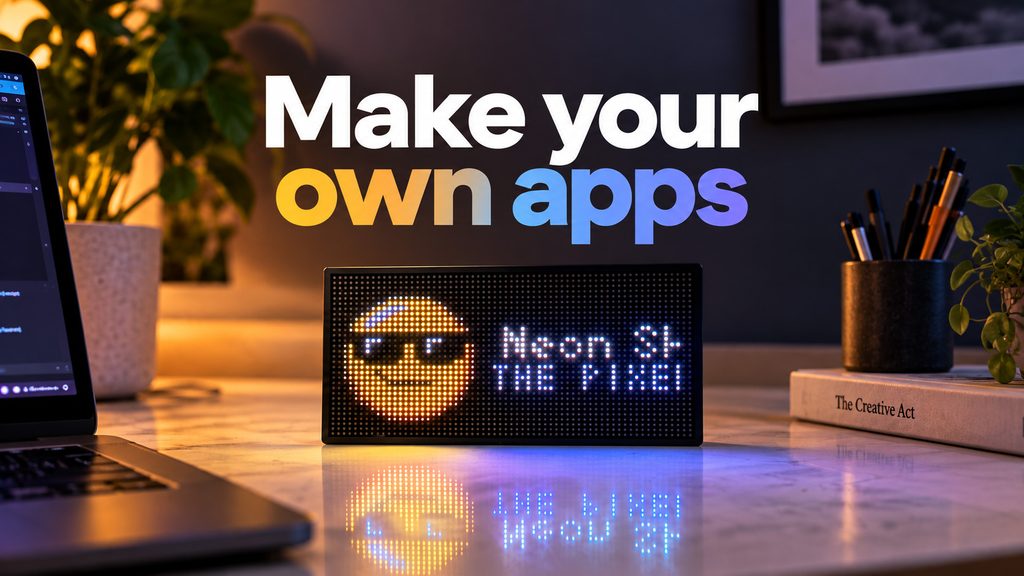
This is probably one of the biggest changes we’ve made to Solidpixels so far.
Until now, most of the apps available on the display were built by us.
Starting now, you can build your own.
We’ve opened up our app development tools so you can create pretty much anything you want to run on your Solidpixels.
The easiest way to start is here:
https://app.solidpixels.io/dev/my-apps
You can build directly from your browser, run previews, and test your app on your actual Solidpixels device without installing anything locally.
We also added an AI agent.
Instead of starting with code, you can describe what you want to create and let the agent help you build it.
You can also upload sketches or reference images if that’s an easier way to explain your idea.
And if you prefer working locally, we have local development tools for Starlark apps as well.
For anyone using Codex, Claude Code, Cursor, or another AI coding tool, we’ve also made the entire documentation available as an LLM-friendly file:
https://docs.solidpixels.io/llms-full.txt
So… what can you actually build?
Our docs already include complete examples for things like:
• Weather + sun clock
• Market dashboard
• News/RSS ticker
• Live transit board
• Photo & GIF frame
• Now Playing
• QR event passes
• Animations and configurable widgets
You can see all of them here:
https://docs.solidpixels.io/app-development/examples
Apps can work with external APIs and services, images, GIFs, charts, animations, configuration fields, OAuth, QR codes, live data and a lot more.
Once you’re happy with your app, you can submit a version for review. When it’s approved, it can be published for other Solidpixels users.
There’s also proper version management, so you can keep releasing updates without affecting the currently published version while the new one is being reviewed.
And if something goes wrong, you can roll back to an older approved version.
This is the part we’re most excited about:
We don’t know what all the best Solidpixels apps are going to be anymore.
Hopefully some of them will come from you guys.
Build your first one:
https://app.solidpixels.io/dev/my-apps
Docs:
https://docs.solidpixels.io
If you build something, definitely post it here. We’d love to see it.

